


Benefits of Integrating
A checkout built for growth
-
Give patients the flexibility to pay online, before or after their appointment.
- Increase average order value by up to 91% with Pay in 4. 1
Legal Disclaimer
1 Internal data analysis of large enterprise merchants with Pay Later transactions from January – December 2024. Data inclusive of Pay Later transactions across 7 markets (US, UK, AU, DE, ES, IT, FR).
* PayPal Pay in 4 is a continuing credit contract provided by PayPal Credit Pty Limited (ABN 66 600 629 258; Australian Credit Licence 568848) and is subject to merchant and customer eligibility criteria. Full terms and details are available in the PayPal Credit Guide, TMD and PayPal Pay in 4 Facility Agreement on the website.
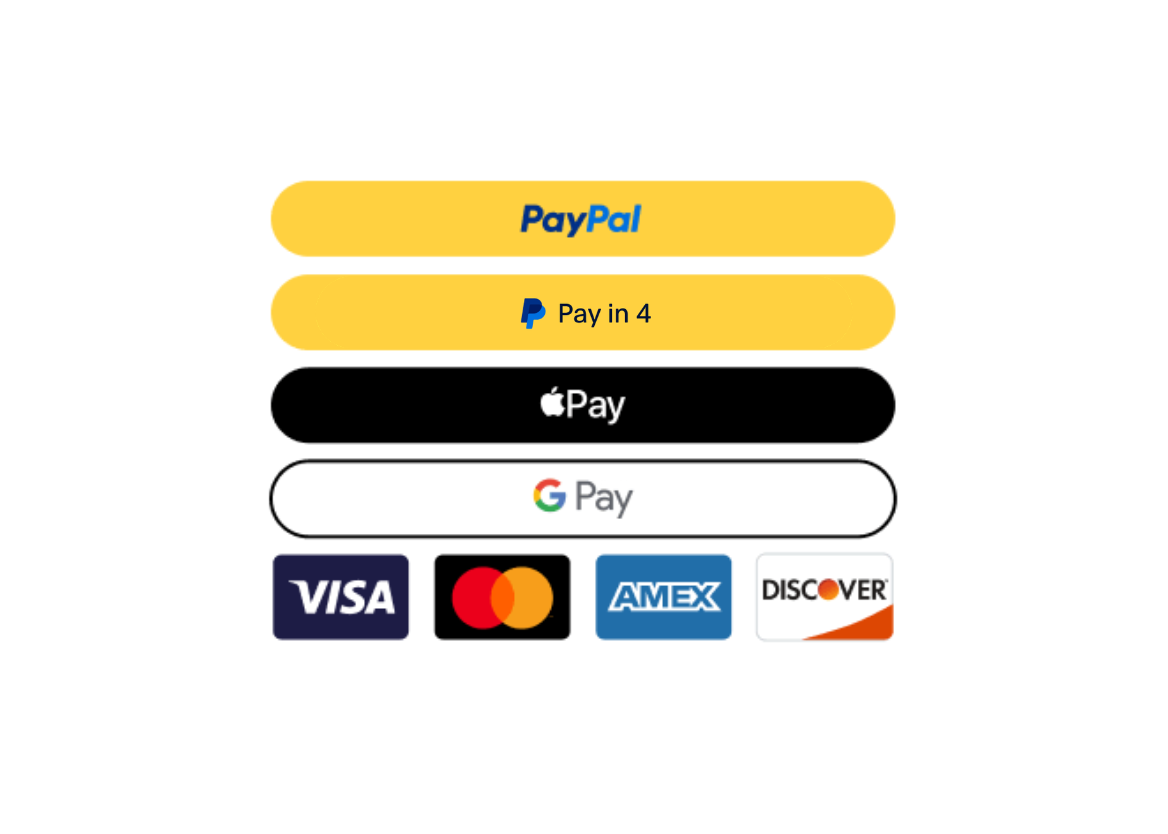
Boost your sales with Pay in 4
-
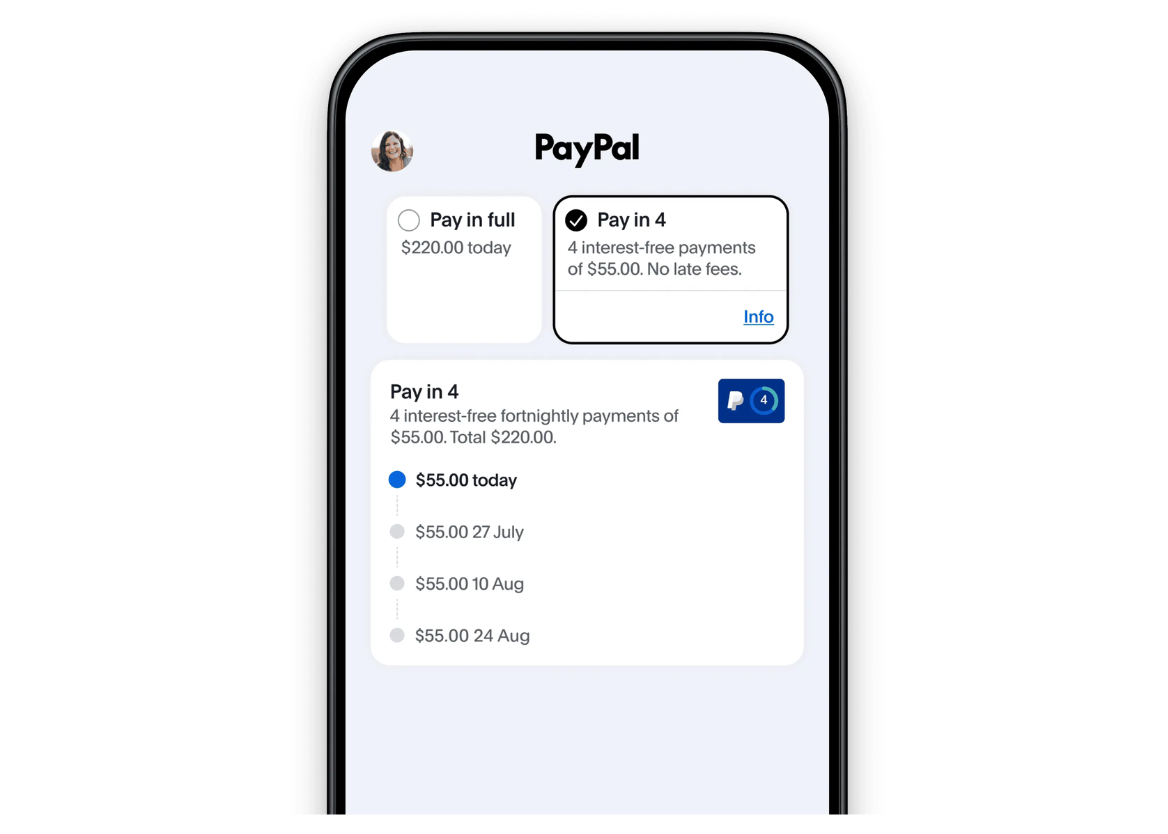
Collect deposits at booking and unlock up to 91% higher average order value. 1
- Elevate your checkout with PayPal Pay in 4, delivering added payment flexibility while driving stronger cash flow with immediate payments.
Legal Disclaimer
1 Internal data analysis of large enterprise merchants with Pay Later transactions from January – December 2024. Data inclusive of Pay Later transactions across 7 markets (US, UK, AU, DE, ES, IT, FR). Individual results may vary.
* PayPal Pay in 4 is a continuing credit contract provided by PayPal Credit Pty Limited (ABN 66 600 629 258; Australian Credit Licence 568848) and is subject to merchant and customer eligibility criteria. Full terms and details are available in the PayPal Credit Guide, TMD and PayPal Pay in 4 Facility Agreement on the website.
Reduced administrative work
-
Streamline operations with automation and a single source of truth enhanced by PayPal for seamless checkout and simplified payment management.
- Send invoices seamlessly and reduce time spent chasing payments.

Enhanced security and compliance
-
Power your risk strategy with data-driven insights, backed by PayPal’s secure payment processing and fraud protection.
- Reduce fraud risk and card data exposure with PayPal, backed by security insights to support compliance and protect eligible transactions.

Getting Started is Easy
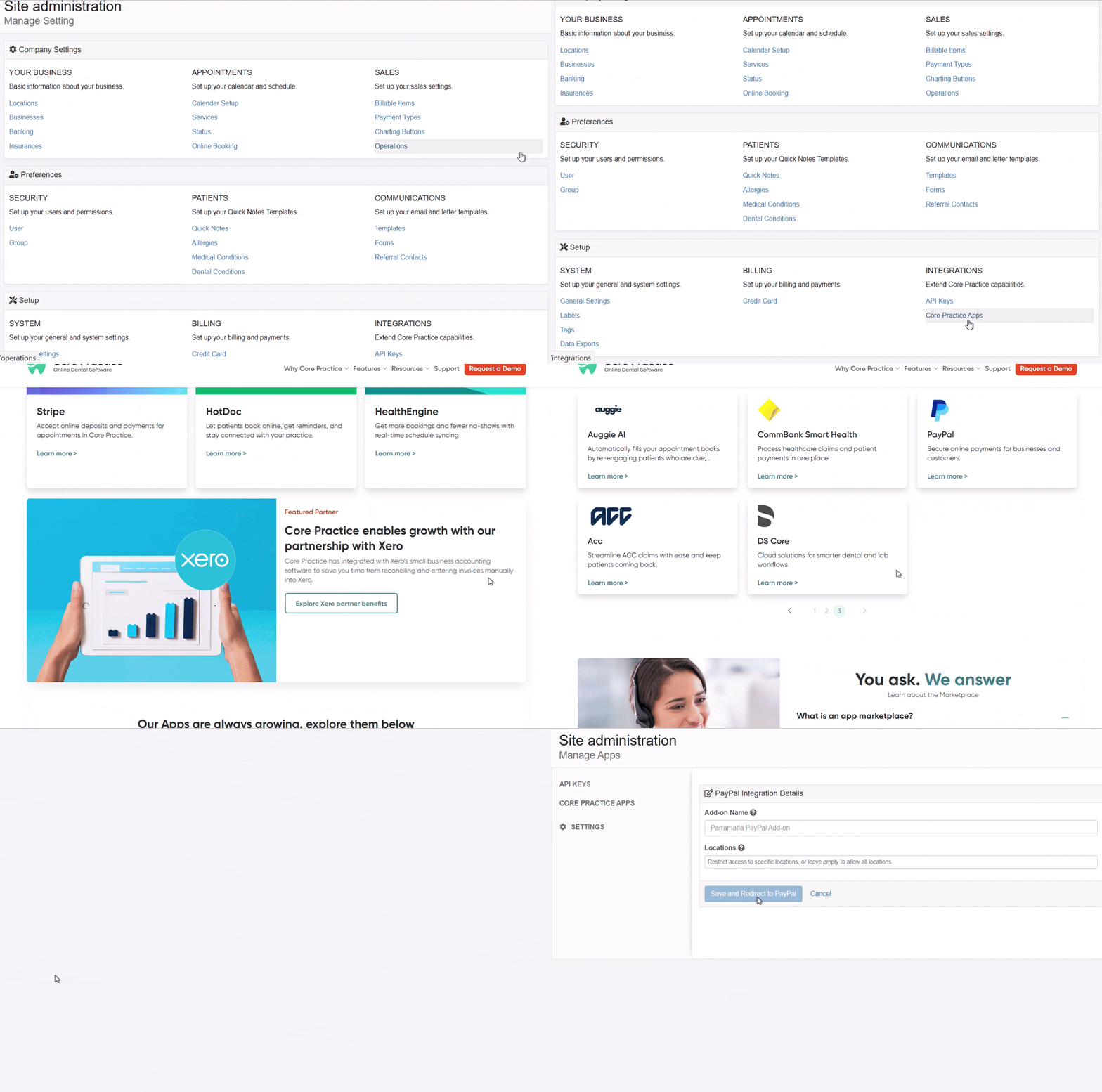
Once installed, activate your PayPal account or sign in if you already have one.
- Follow the prompt to connect or create a PayPal account.
- PayPal will ask for business details and verification steps.
- Once verified, your PayPal account is linked to Core Practice.
For a step-by-step setup guide, visit our Help Centre article: How to Integrate PayPal to Core Practice
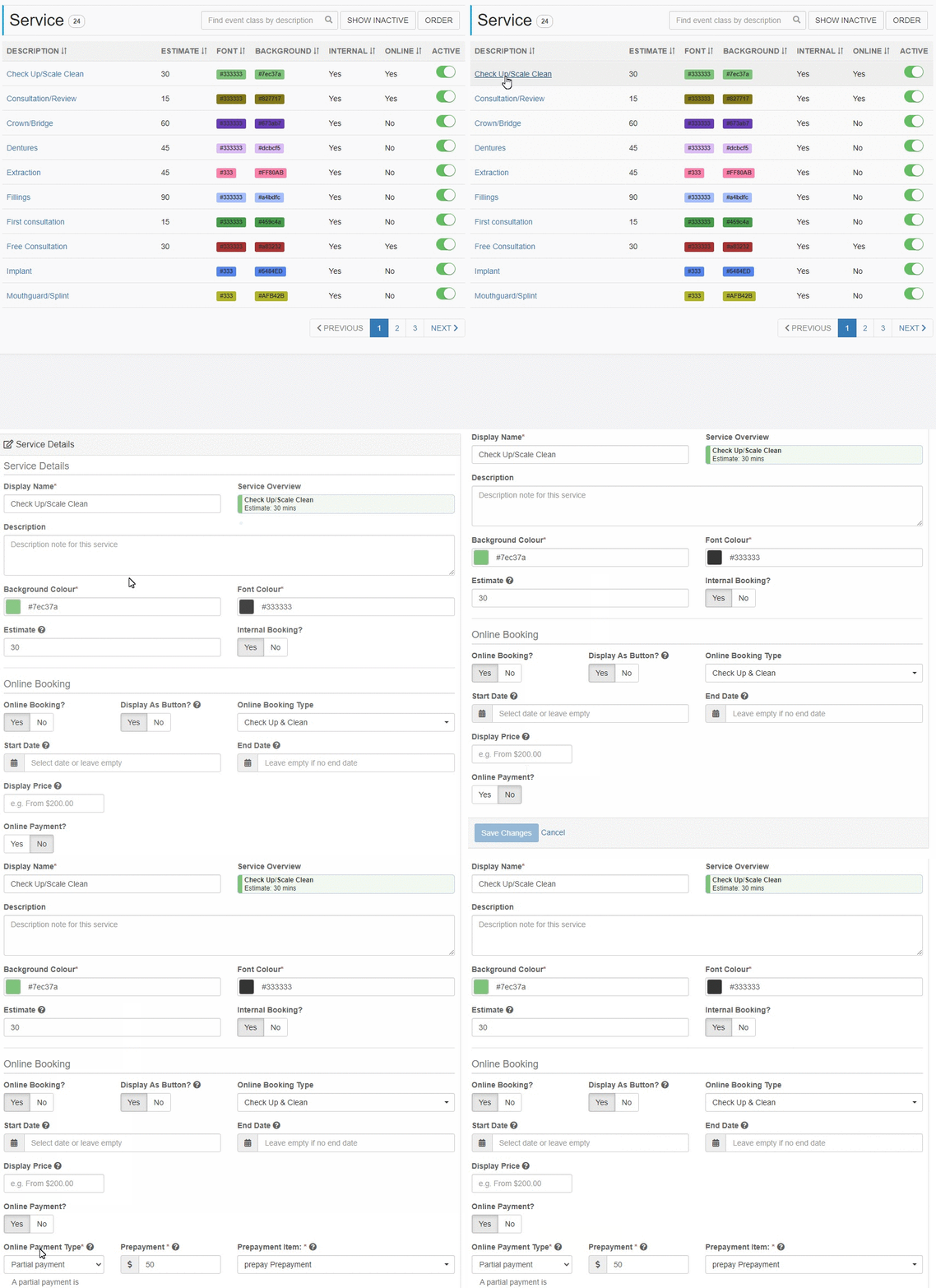
Once you are done with activating PayPal to Core Practice, the next step would be setting up the services.
This step is essential because this is where you can manage the different services that you wanted to offer online.
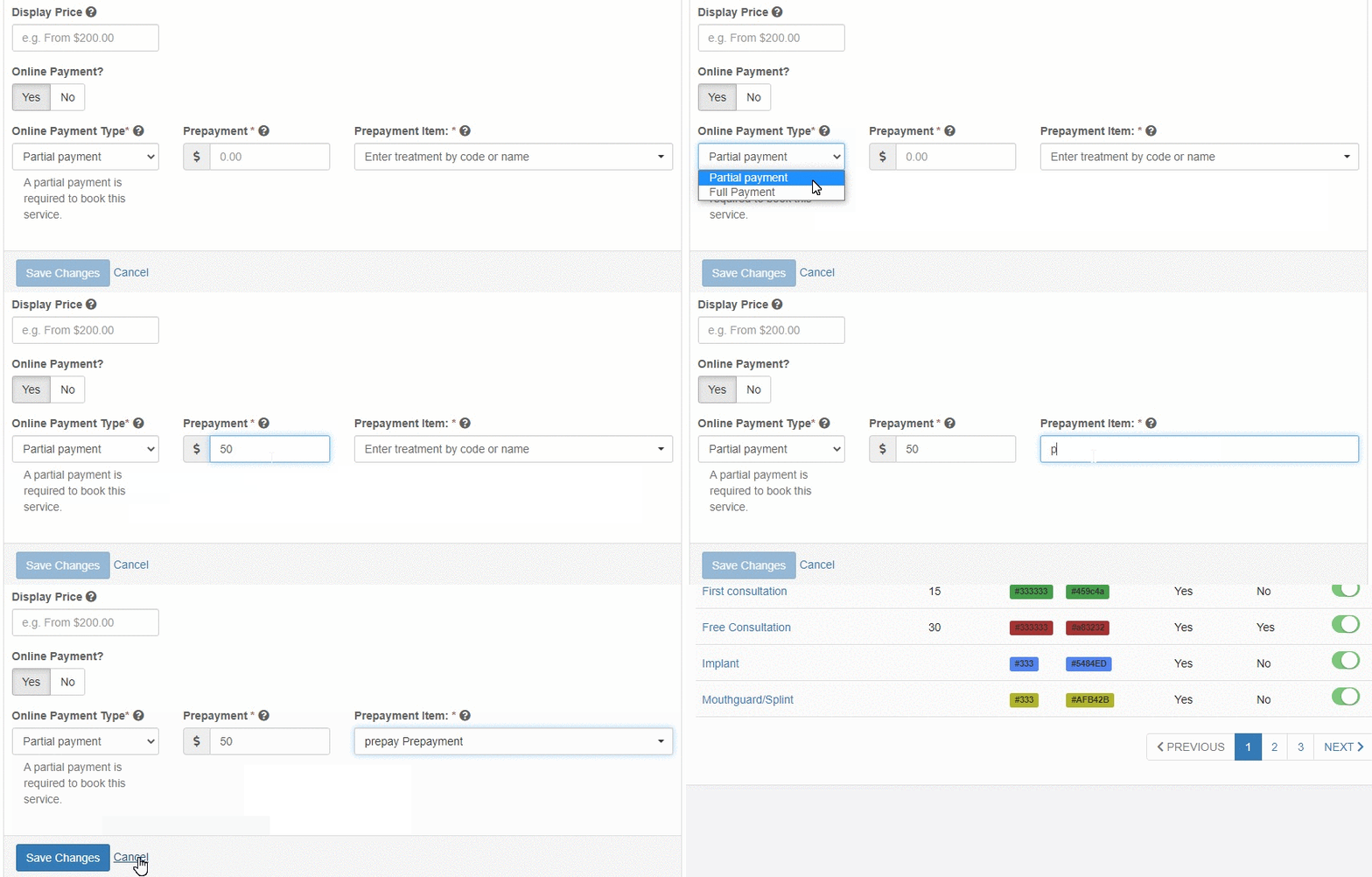
Choose a service and set the Online Payment to "Yes".
Select Partial Payment or Full Payment under the Online Payment Type. Enter the prepayment/deposit amount that you wish to charge the patient with and select a prepayment item. Once all done, hit Save Changes.
Easy Integration for PayPal Customers
Sign up for Core Practice today and seamlessly integrate PayPal's complete payment solution into your workflow.
Why choose Core Practice
20+
Convenient & Seamless Integrations
17K+
Users on Core Practice
6K+
Trusted practitioners
4.5M+
Patients served