


Benefits of Integrating
Lumie answers every call your front desk can't — day or night. Trained on your clinic's brand, tone, and workflows, she works like a natural extension of your team. Clinics using Lumie capture 35% more calls from day one, see a 3–5x return on investment, and save over 15 hours a month.
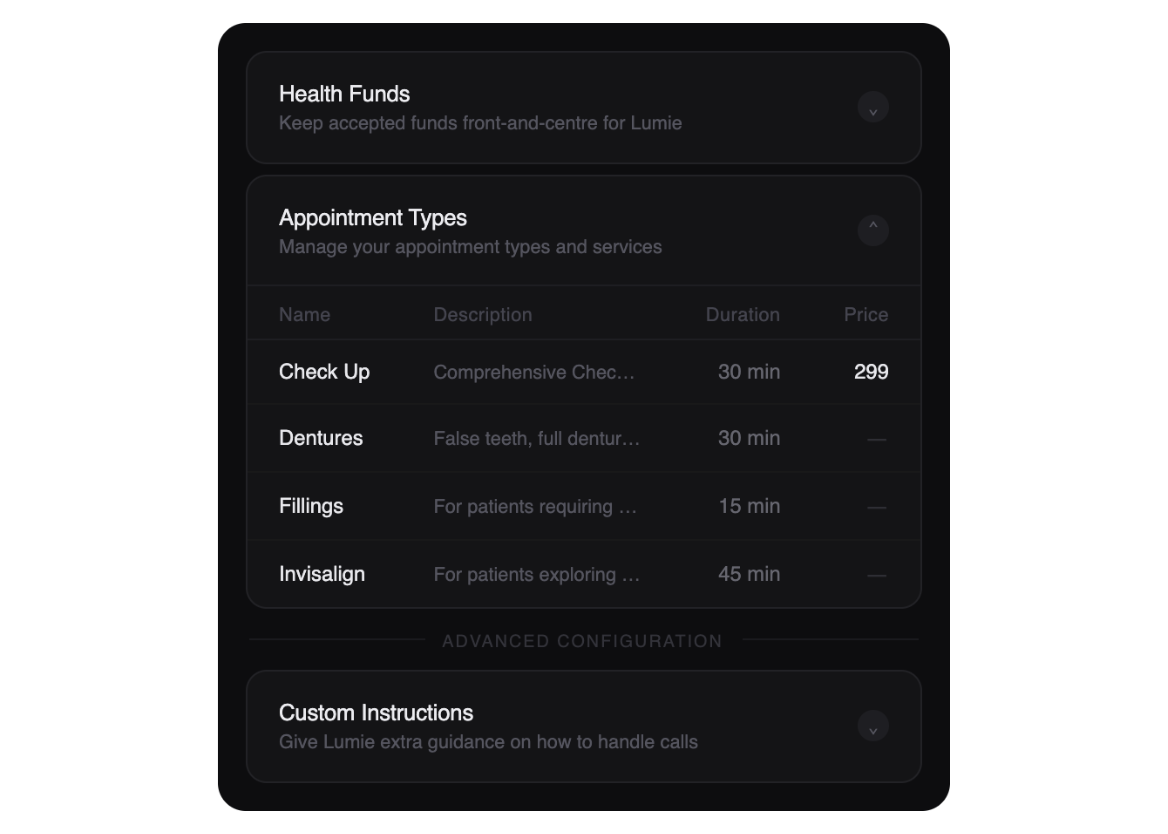
Configured around how you work
- Lumie pulls clinic details straight from Core Practice, so patients get accurate, up-to-date information from day one.
- Set booking rules, workflows, and custom instructions so the front desk stays in control of how every call is handled.
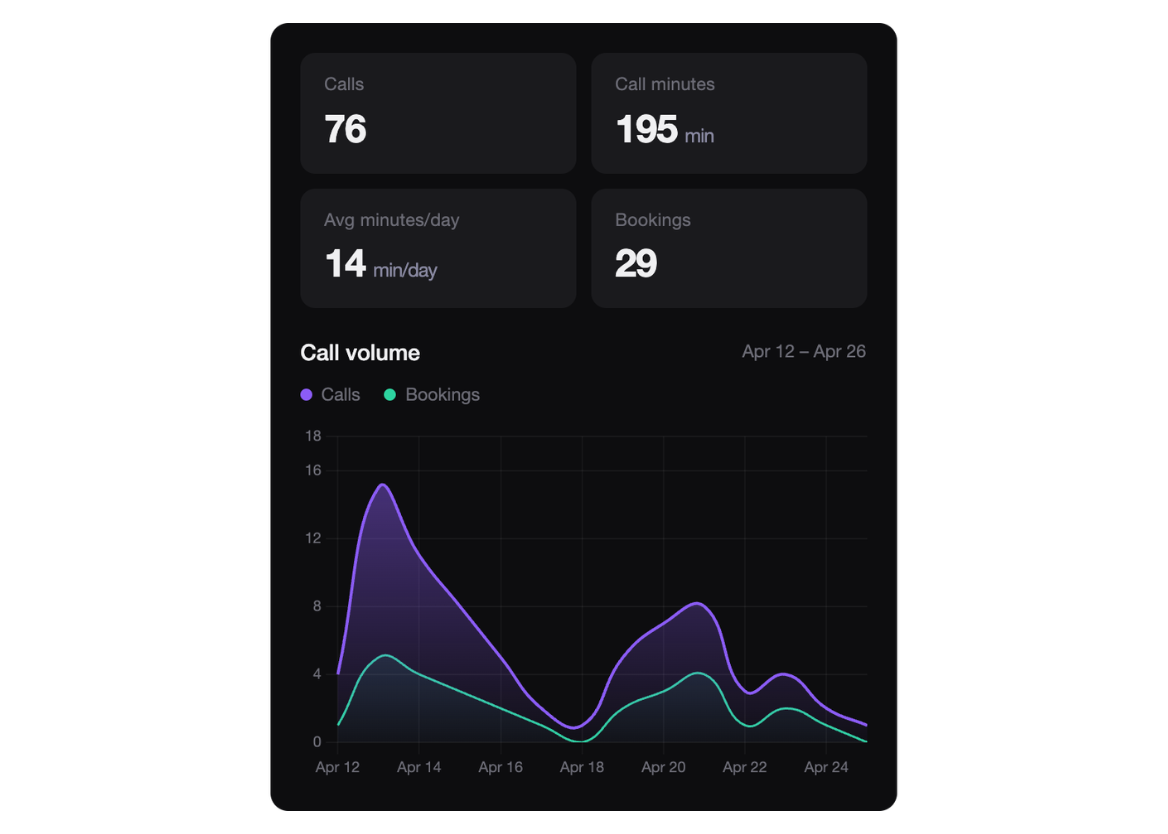
Every call answered, every opportunity captured
- Lumie answers inbound calls, books appointments, and manages enquiries the moment your team can't get to the phone.
- Reactivate lapsed patients automatically, turning missed calls and old records into booked appointments.
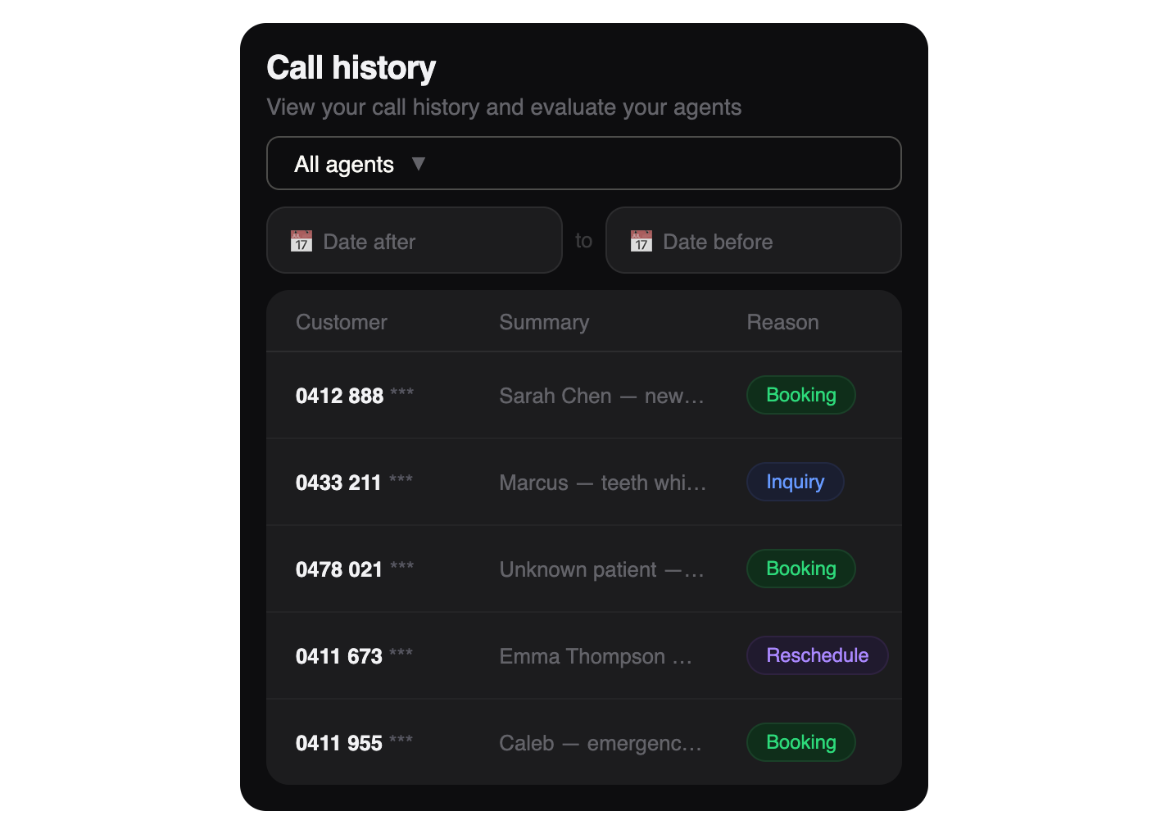
A summary, transcript, and next step for every conversation
- Every call is logged with a full transcript and AI-generated summary, so nothing gets lost between shifts.
- The team can review conversations, action follow-ups, and stay in sync without extra admin work.
Getting Started is Easy
The fastest way to connect Lumie to Core Practice is to click the “Install” button on this page. You’ll be guided through a secure setup process that takes only a few minutes.
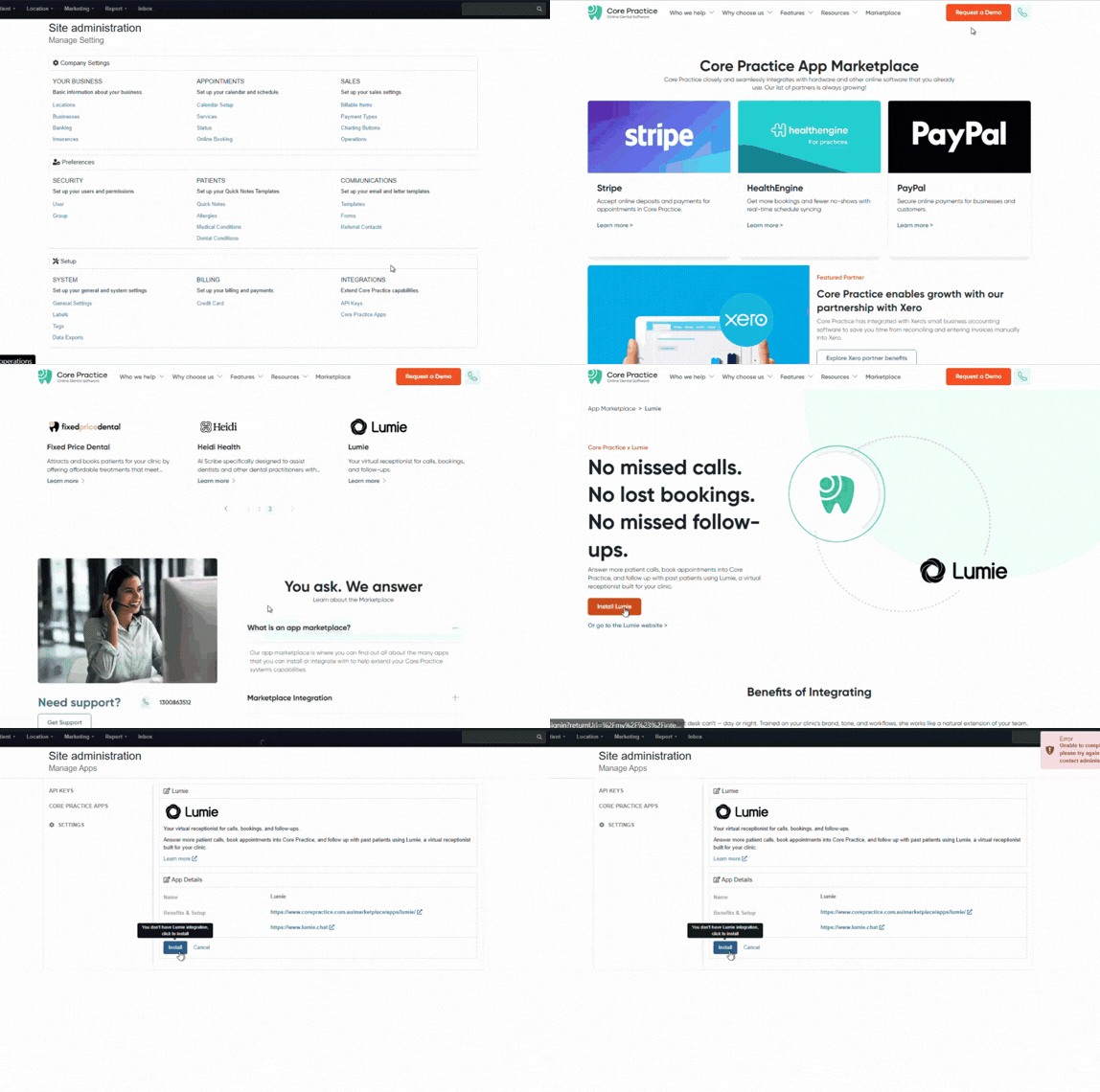
Once installed, activate your Lumie account or sign in if you already have one.
-
Follow the prompt to connect or create a Lumie account.
-
Lumie will ask for business details and verification steps.
-
Once verified, your Lumie account is linked to Core Practice.
Why choose Core Practice
22+
Convenient & Seamless Integrations
17K+
Users on Core Practice
6K+
Trusted practitioners
6M+
Patients served
A simpler way to manage your dental practice
Try our dental software with full features. Request your demo now